Ever receive a message saying your account will be blocked unless you sign in immediately? That pressure is one of the simplest ways phishing works. A fake message can look polished, use a familiar logo, and still lead to a page designed to steal your details. This guide explains how Fairplay users can spot warning signs, verify messages, and respond safely.
Urgent language is a reason to pause
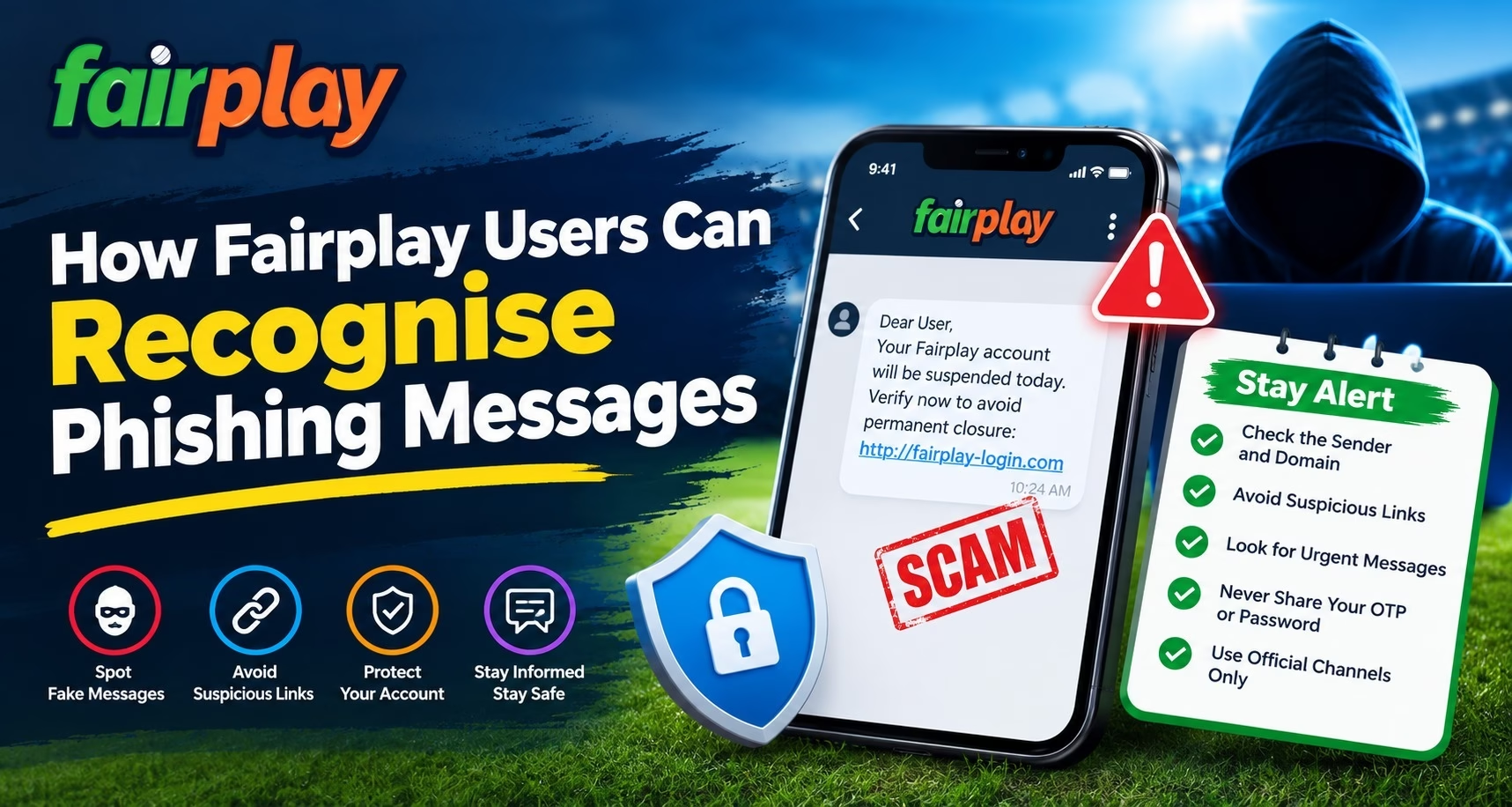
Phishing messages often try to make you act before you think. They may claim that your account is locked, a withdrawal is waiting, or you must confirm details within minutes. A surprise reward or special offer can create the same pressure.
Ask yourself whether you expected the message and whether it gives you time to check the claim. Do not reply or tap a button just because the message sounds official. Open a trusted route to the service separately and check your account there.
Check the sender and destination carefully
A familiar display name or logo does not prove who sent a message. Look closely at the full sender details and the destination of any link. A fake address may add extra words, change a letter, or use a different ending from the address you normally use.
On a phone, press and hold a link to preview its destination if your device allows it, but do not open it to test whether it is genuine. If you are unsure, close the message and type a known address yourself or use a bookmark you previously saved. This simple pause can prevent a convincing copy from collecting your information.
Treat requests for codes and payments as warning signs
Never share a one time password, account password, UPI PIN, card security code, or banking password in response to a message. A request to pay a fee to unlock an account or release a withdrawal should also make you stop and verify independently.
When using Fairplay login, reach it through a route you already trust instead of a login link sent unexpectedly by text, email, or chat. If a message asks for information you would not normally enter, do not provide it. Contact support through details listed in a trusted account or service page. We encourage you to verify unusual requests through a separate, trusted channel.
Be cautious with attachments and app downloads
Some phishing attempts ask you to install an app, update a file, or open an attachment to keep using an account. An unknown download can expose your messages or other information stored on your device. Do not install files sent by an unfamiliar number or social media account.
If you need an app update, go back to the source you normally use and look for instructions there. Avoid forwarding a suspicious message to friends as a warning without removing its active link. A safer check protects both you and the people in your contacts.
If you clicked, act quickly and calmly
If you opened a link but entered no information or installed nothing, close the page and do not continue. If you shared a password, change it through a trusted route and update it anywhere else you reused it. If you shared a payment code or banking detail, contact your bank or payment provider promptly through its official channel.
Keep screenshots and message details, but do not share sensitive codes in a report. In India, you can report cyber financial fraud through the National Cyber Crime Reporting Portal or call 1930. Quick action may help limit further harm.
Build a simple message checking habit
Phishing messages change, and a message can be well written without being legitimate. Before acting, pause, inspect the request, and verify it through a separate channel. This habit is useful whether you are checking a login alert, a payment note, or a match related update.
Read More : Fairplay Live: Complete Guide to the Online Experience
Conclusion
A careful check of the sender, link, request, and download can help you avoid phishing attempts. Use Fairplay through a route you trust, keep passwords and codes private, and verify unexpected messages before responding. Take a moment to review your account safety habits today.
FAQs
What is a phishing message?
It is a deceptive message that tries to get you to share sensitive information or open a harmful link. It may pretend to come from a service or person you recognise.
What should I do if a message says my account will be blocked?
Pause and check the claim through a separate, trusted route. Avoid replying or using the message link to sign in.
Should I share an OTP with someone claiming to be support?
No. Keep one time passwords, account passwords, and payment credentials private.
What if I already entered my password on a suspicious page?
Change the password through a trusted route as soon as possible. If you reused it elsewhere, change it on those accounts too.
How can I report cyber financial fraud in India?
You can use the National Cyber Crime Reporting Portal or call 1930. Keep relevant message details, but do not share passwords or one time codes in a report.